
I once worked on a documentary with 400 hours of raw footage. On the third day of editing, the director asked for “that shot where the old man smiles, but only with his eyes.” I spent six hours scrubbing through clips, losing my creative flow and wasting the client’s money. That was the day I realized that the best editors aren’t the ones who know the most “cool transitions”—they are the ones who are the best Librarians.
The Hidden Engine of Efficiency: XML and Metadata
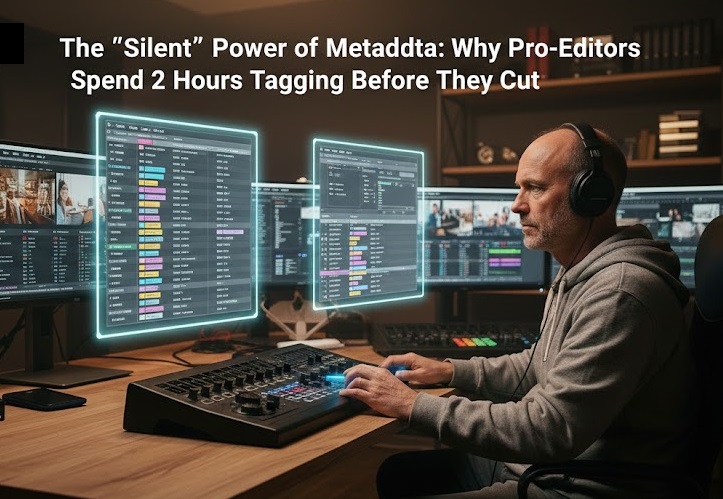
Most beginners open their software and immediately drag everything onto the timeline. This is a amateur mistake that leads to “Project Bloat.” In 2026, the fundamental skill of a pro-editor at Arab Seed News is Metadata Management.
Metadata is “data about data.” It’s the hidden tags inside your video files—GPS coordinates, lens settings, f-stops, and custom “Keyword Tags.” When you properly tag your footage, you aren’t just organizing; you are building a Searchable Engine.
How-to: The “Pre-Edit” Organization Strategy
If you want to edit 10x faster than your competitors, follow this protocol before you touch a single clip:
-
The “Smart Bin” Revolution: In software like DaVinci Resolve, don’t use folders. Use “Smart Bins.” Create a bin that automatically gathers every clip shot at “50mm” with the keyword “Close-up.” As you import footage, it organizes itself.
-
Transcription-Based Tagging: Use AI to transcribe all your footage first. Then, search the transcript for keywords (e.g., “Love,” “Angry,” “Action”). Highlight the text and tag those clips instantly.
-
Color Coding by “Intent”: I use a strict color code: Green for “Hero Shots,” Yellow for “B-Roll,” and Red for “Outtakes.” This allows my brain to “read” the timeline without looking at the images.
-
XML Round-Tripping: Learn how to move your metadata between apps. If you tag your footage in a dedicated logging app (like Kyno), you can export an XML that brings all those tags into Premiere or Resolve perfectly.
The Business Value: Organization is the difference between a “freelancer” and a “studio.” It allows you to handle larger projects, hit tighter deadlines, and—most importantly—keep your creative energy focused on the art, not the search.



More Stories
Remote Collaboration Apps: How My Team Stays Productive Across Three Time Zones
iPad Pro for Video Editing: Is it Finally a Pro-Level Tool?
DaVinci Resolve vs. Premiere Pro: Why I Switched After 10 Years