
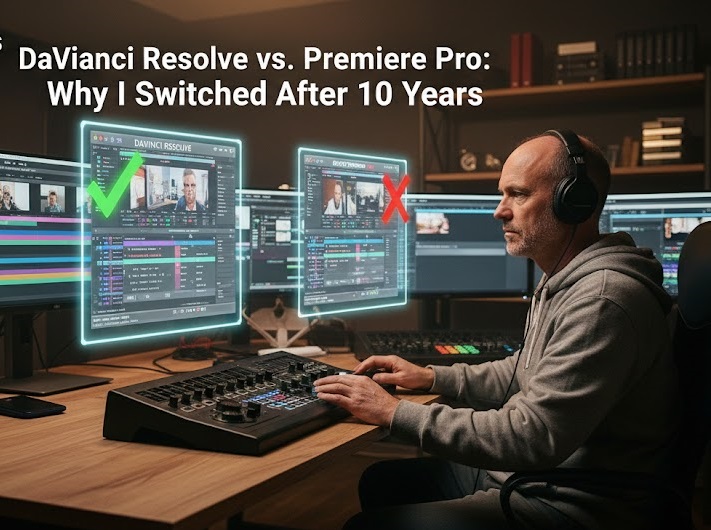
The Break-up I Never Wanted
I’ve been an Adobe Premiere Pro user since the days when you had to install it from a stack of CDs. It was my “creative home.” I knew every shortcut, I had my custom workspaces perfectly tuned, and I defended it in every “editor debate.” But about two years ago, something changed. As the projects I handled for Arab Seed News grew in complexity—switching to 8K RAW footage and 100+ track timelines—my “home” started to feel like it was falling apart.
The constant “Application Not Responding” screens, the random crashes during the final 99% of a render, and the clunky integration with After Effects became too much. I felt like I was spending more time troubleshooting the software than actually editing. Making the switch to DaVinci Resolve wasn’t just a technical choice; it was an emotional one. It felt like learning to write with my left hand, but it ended up saving my career from burnout.
The Fundamental Difference: Database-Led Editing vs. Project Files
To understand why Resolve is becoming the industry standard in 2026, you have to understand its DNA. Premiere Pro is built on Project Files (.prproj). Everything you do is saved in a single file. If that file gets corrupted, or if a link to a piece of media breaks, the whole project can become a nightmare to manage.
DaVinci Resolve is built on a PostgreSQL Database. This is a massive game-changer. Because it’s a database:
-
Auto-Save is Invisible: You never have to worry about losing work. Every change is tracked in real-time within the database.
-
Multi-User Collaboration: In 2026, speed is everything. With Resolve, I can have one person color grading, another person editing the sound, and me doing the final cut—all at the same time in the same project. This is simply impossible in a traditional project-file environment.
The Power of the “Node” vs. The “Layer”
The biggest “brain-flip” for me was moving from layers to nodes. In Premiere (and Photoshop), you stack effects on top of each other. If you want to change something at the bottom of the stack, it affects everything above it in a very rigid way.
In Resolve’s Node-Based System, you are creating a “map” of your image. You can branch effects out, combine them, and pipe them back into each other. It’s surgical. If I want to change the saturation of just the red colors in a sunset without affecting the skin tones of my actor, nodes make that process logical and incredibly fast. It gives you a level of Visual Storytelling that layers simply cannot match.
How-to: Making the Switch Without Losing Your Mind
If you are ready to make the jump, follow this 3-step transition plan:
-
Map Your Shortcuts: Don’t try to learn Resolve’s keyboard layout immediately. Resolve has a built-in “Premiere Pro” keyboard preset. This allows your muscles to remember ‘C’ for cut and ‘V’ for select, reducing the initial frustration.
-
The 1-Week Color Challenge: Don’t try to edit your first project in Resolve. Just do the Color Grading there. Export an XML from Premiere, bring it into Resolve, and spend a week learning the Color Page. This is where Resolve’s power is most obvious, and it will give you the motivation to keep learning.
-
Master the “Edit Page” for Speed: Once you’re comfortable with color, move your editing workflow over. Focus on the “Cut Page”—a specialized tool within Resolve designed for rapid-fire social media editing. It’s built for the “TikTok/Reels” age, where turnaround time is more important than anything else.
Final Verdict: Premiere Pro is still a great tool for beginners, but for the professional who needs stability and collaborative power in 2026, DaVinci Resolve is the only choice.




More Stories
The “Silent” Power of Metadata: Why Pro-Editors Spend 2 Hours Tagging Before They Cut
Remote Collaboration Apps: How My Team Stays Productive Across Three Time Zones
iPad Pro for Video Editing: Is it Finally a Pro-Level Tool?